
Every screen a builder’s team actually uses
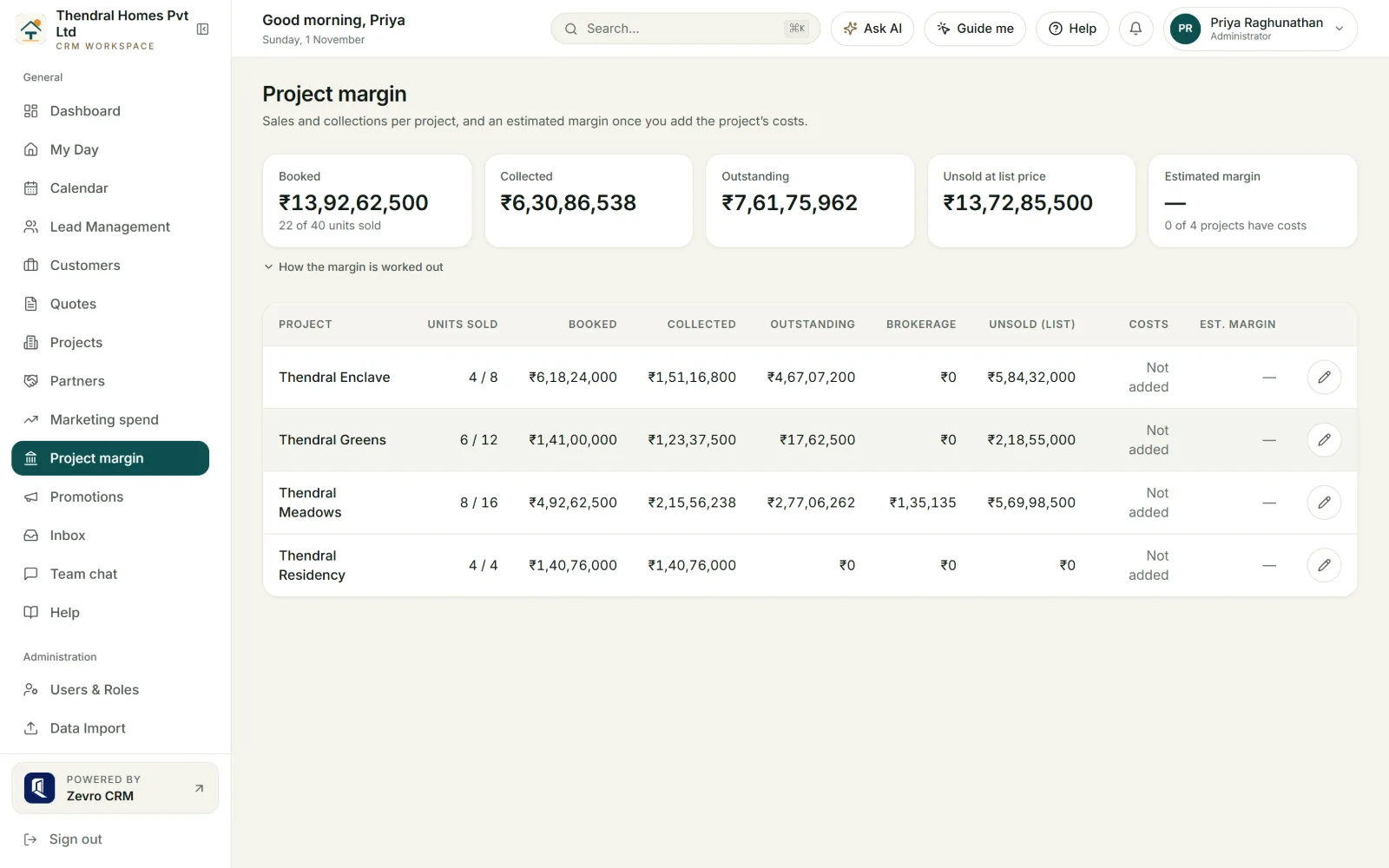
Fourteen screens from a sample workspace — pipeline, lead record, quote, unit grid, layout plot map, payments, construction stages, portal, partners and automation — then the numbers behind marketing spend and broker commission.
- Shown
- 10 real screens
- Journey
- 9 stages
- Pricing
- Flat per workspace
- Data
- Own database per client
01Screen by screen
The application, one screen at a time
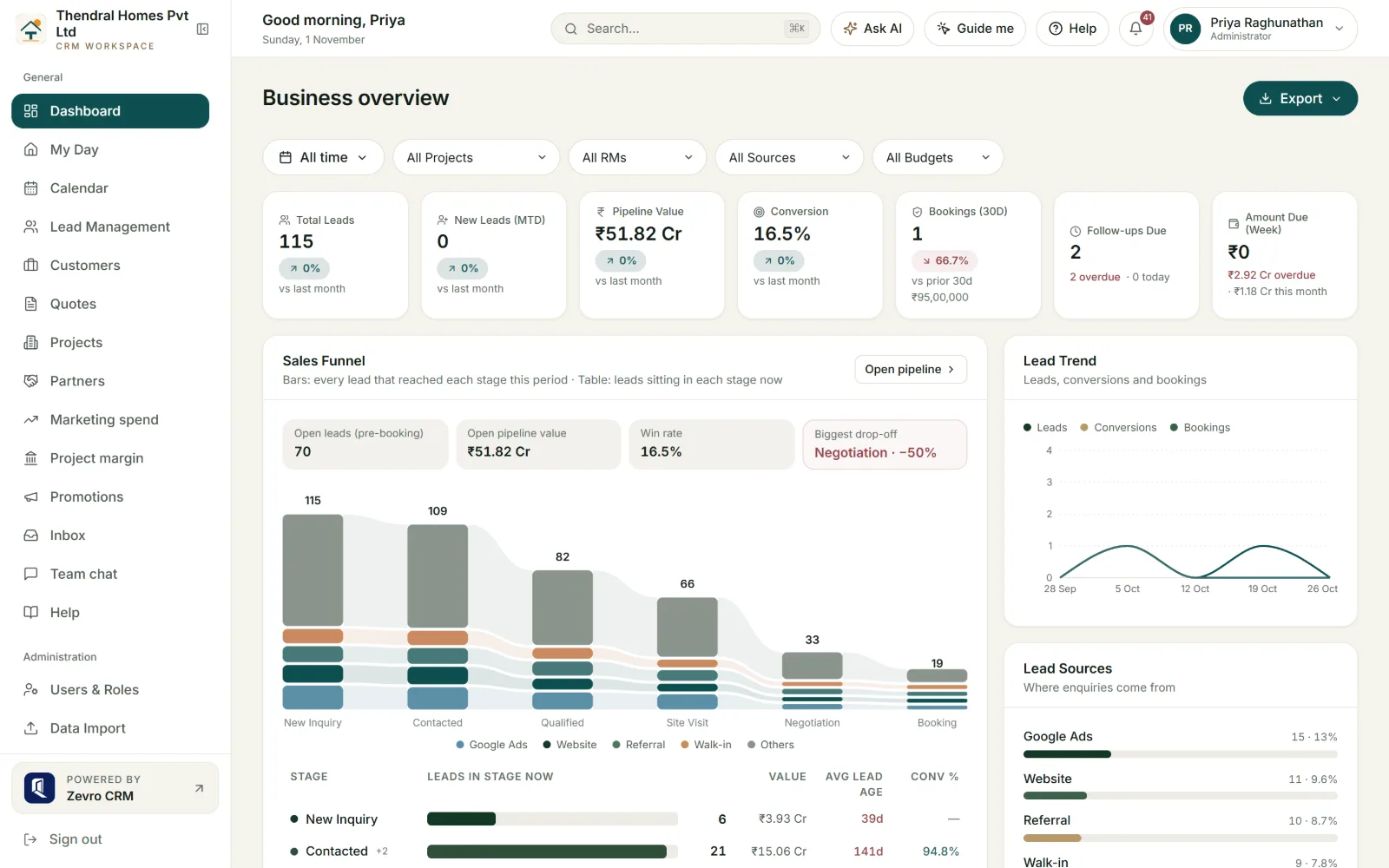
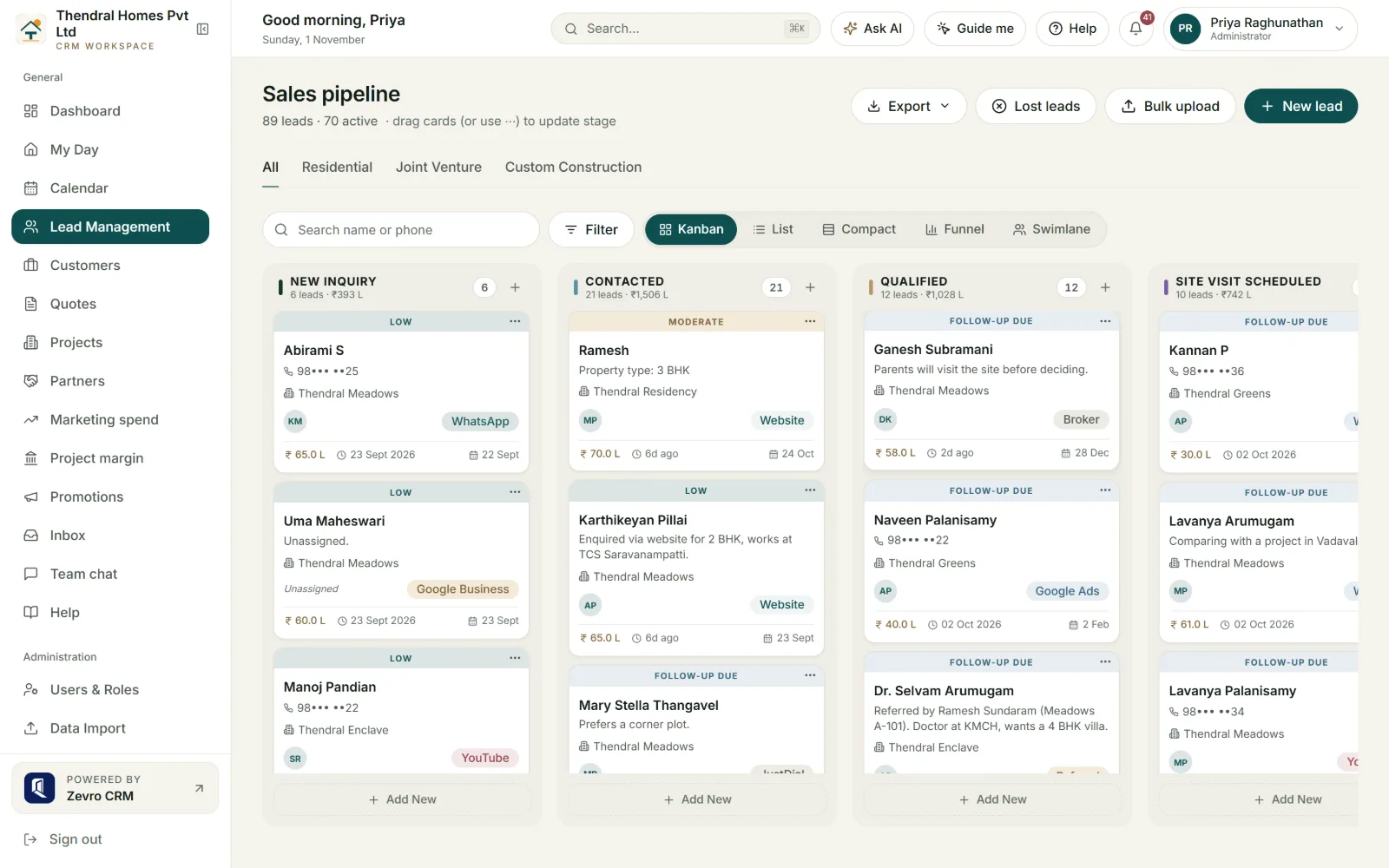
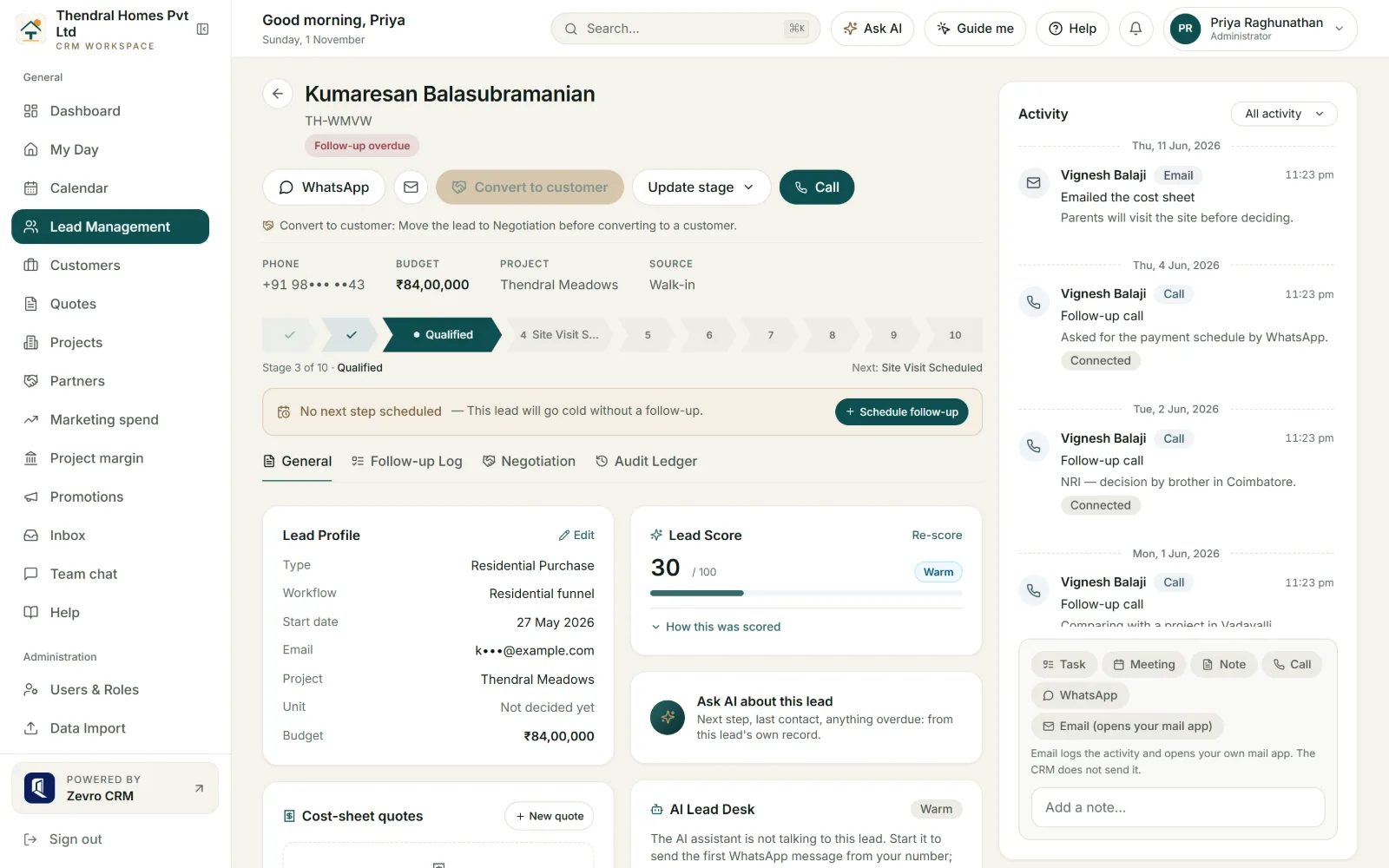
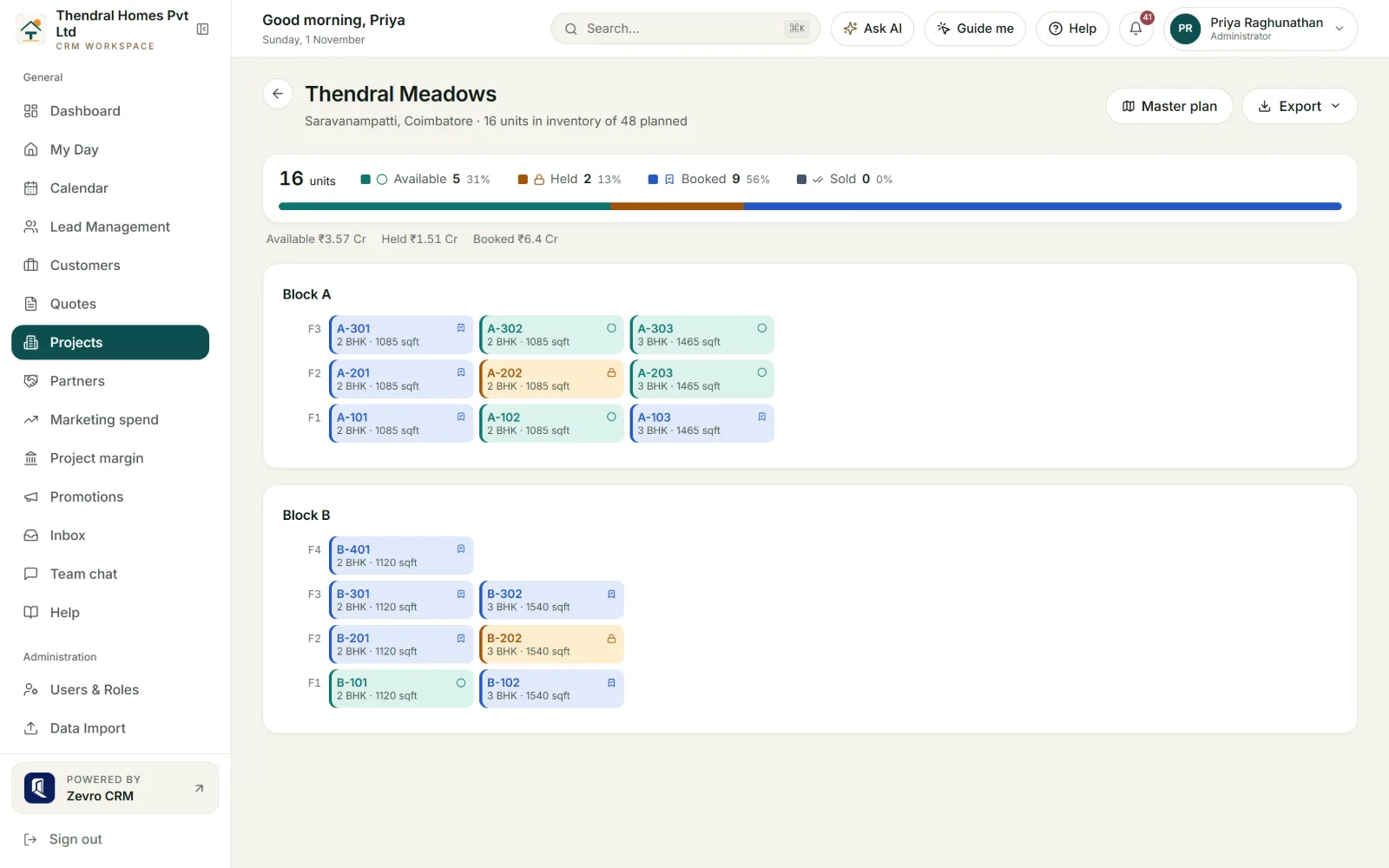
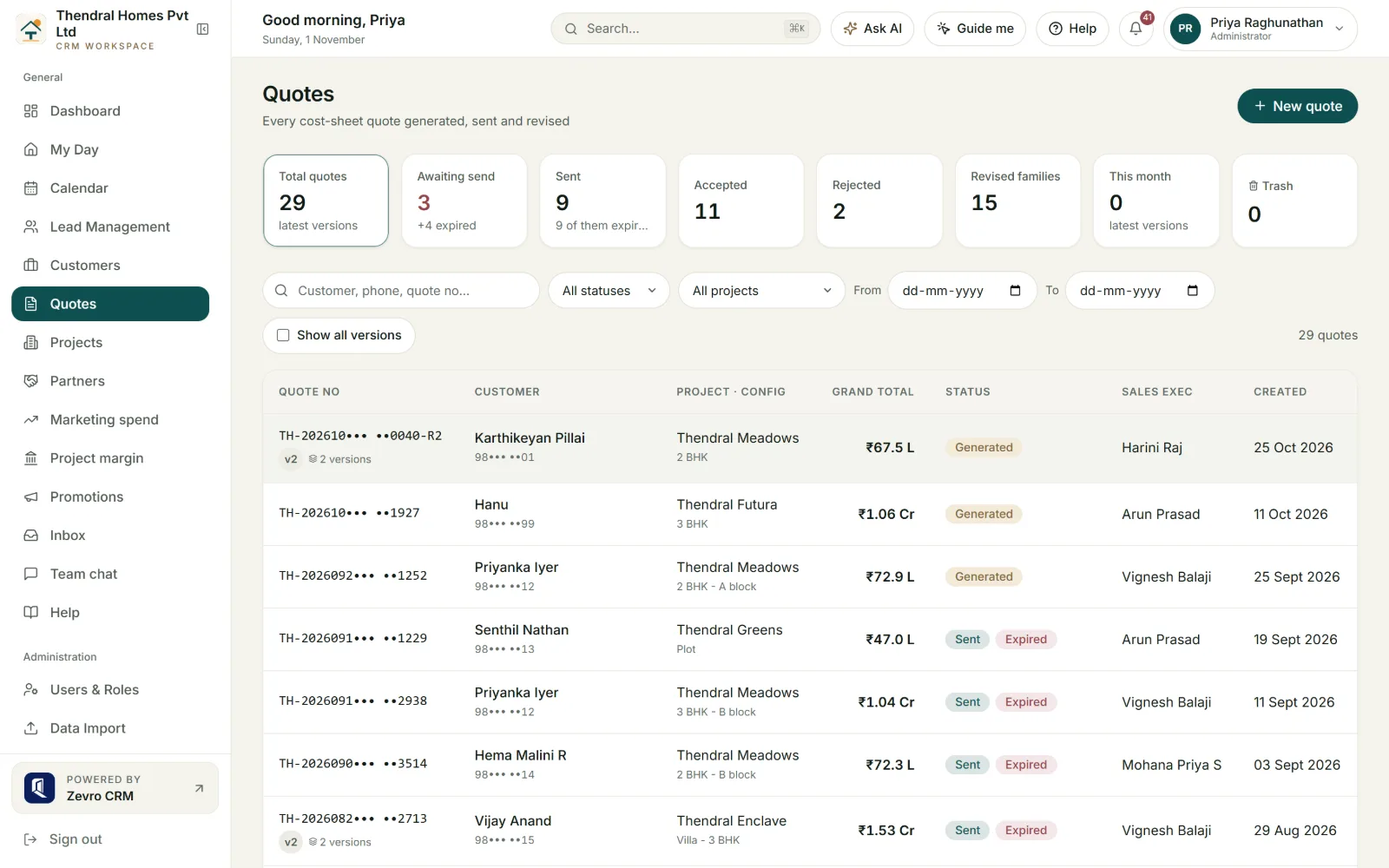
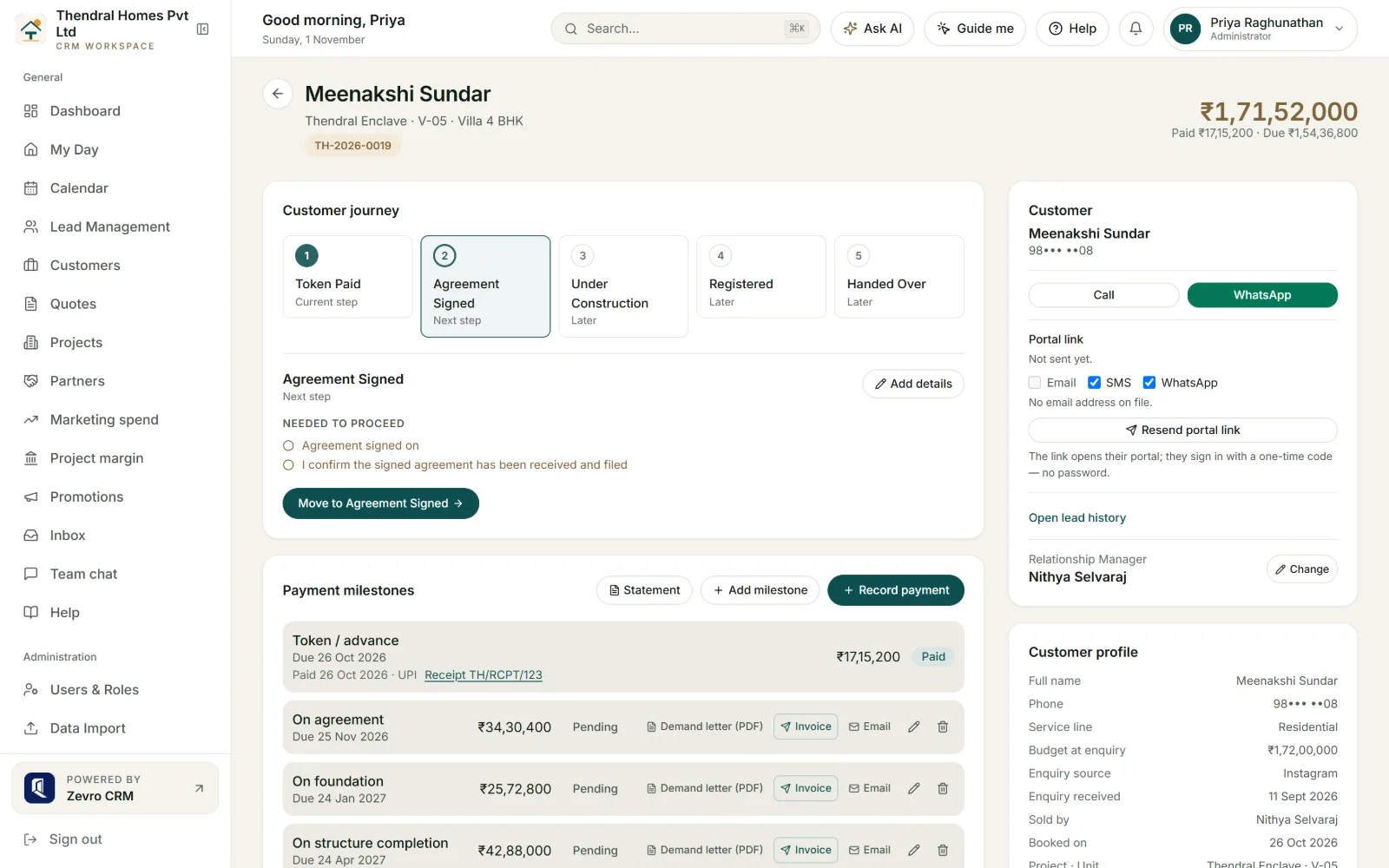
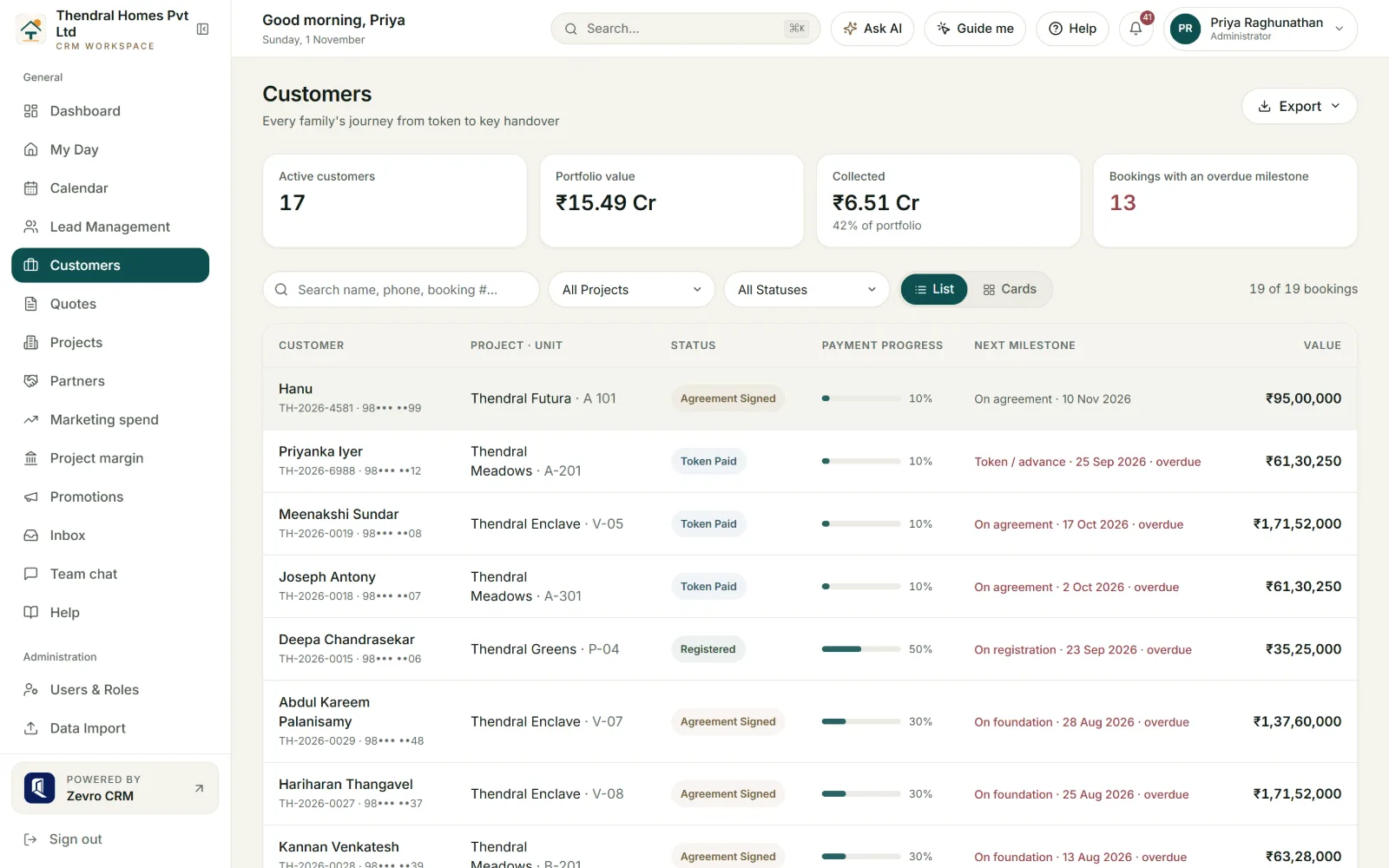
Real screen from our demo workspace, Thendral Homes. Sample buyers; phone numbers and emails masked.
02Sales intelligence
See where your property sales stand
Enquiries, site visits, conversions, bookings and revenue, by project and by sales executive. The MD stops waiting for the weekly Excel MIS, and the sales head sees which executive’s site visits are not turning into bookings.
03Channel partners
Commission released as the customer pays
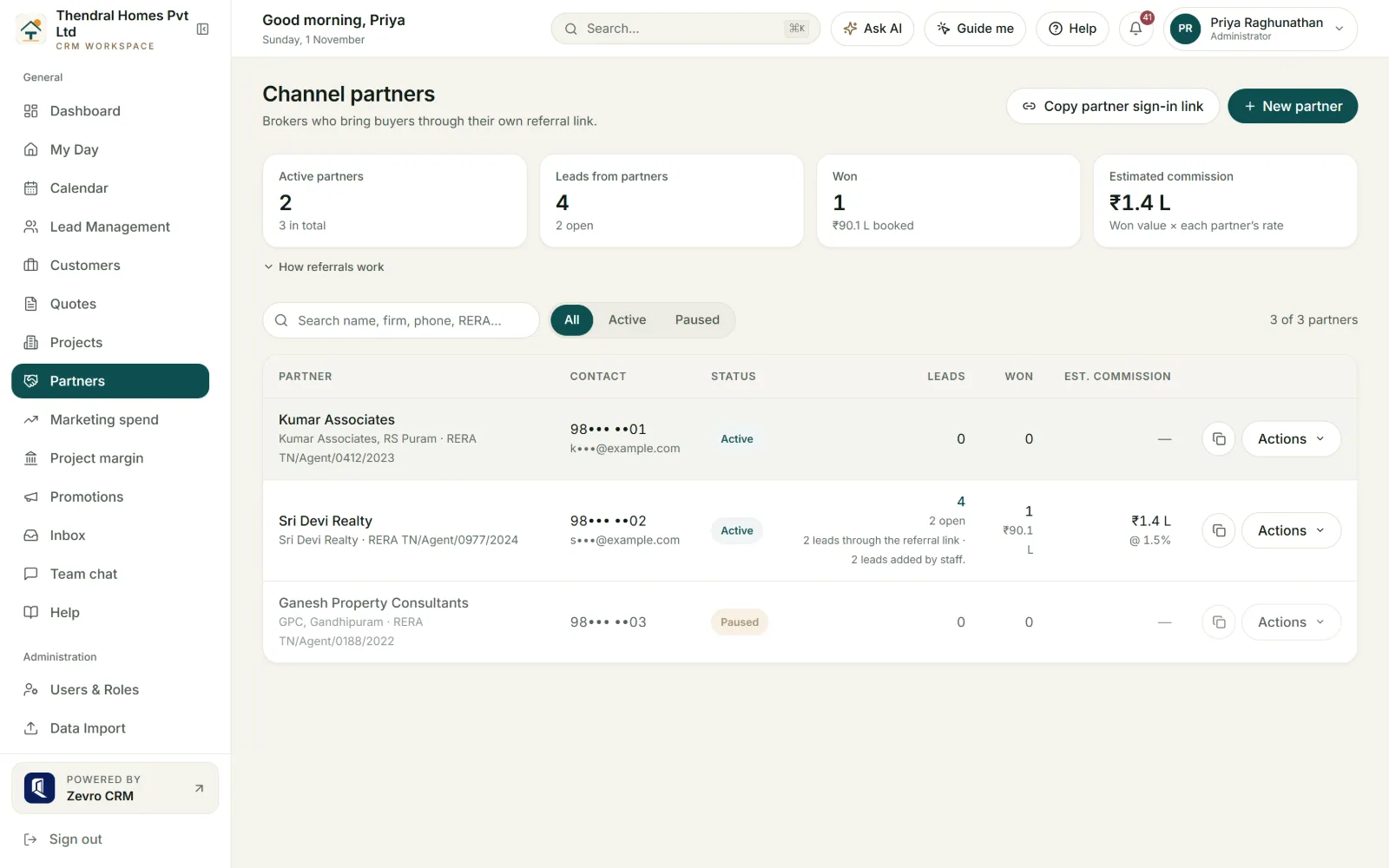
Brokers bring a large share of bookings, and commission is the thing most often argued about — who brought the buyer, and how much is due today. ZevroCRM keeps a registry of partners, gives each a referral link, and releases commission only in step with what the buyer has actually paid.
- [01]
Registry with RERA number
Each partner is stored with firm name, RERA agent registration and commission rate. A rate above 10% is refused as a typo, not quietly clamped.
- [02]
Referral links and attribution
One link per partner; when two brokers claim the same buyer, the first claim wins and the record shows it. The broker signs in to their own portal to see their leads and payouts, with buyers’ names shortened.
- [03]
Approved by a person, then released
Commission is fixed as a snapshot when the lead books, approved by a manager, and released as receipts come in. TDS on the payout is recorded like every other deduction, so your office and the broker see the same figure.
- [04]
Money is never un-approved
A commission with a payout against it cannot be cancelled. Any cancellation must carry a reason and stays in the audit trail, and possible self-dealing is flagged for Admin review.
04Against a generic CRM
Built around how property is sold
A general-purpose CRM ends at “deal won”. A flat sold off-plan keeps the builder’s office busy for many more months — construction stages, demand letters, TDS, broker payouts and handover. Here is where Zoho, Freshsales or a shared sheet has to be bent into shape, and what ZevroCRM already does.
| Area | Generic CRM (Zoho, Freshsales, sheets) | ZevroCRM |
|---|---|---|
| Pipeline | Custom fields and manual stage setup | Residential, JV and custom-construction ready; stages editable |
| Inventory | Not modelled | Units, holds, a visual block / floor / unit grid |
| Pricing | Per user | Flat per workspace; quoted on enquiry |
| Layouts | An attachment on a record | Upload a layout drawing, get a clickable plot map with holds |
| After “deal won” | Stops | Construction stages, demands, receipts, statement, handover |
| Tax | None | GST and TDS on every payment and commission |
| Customer | No login | Portal: dues, receipts, documents, progress, tickets |
| Brokers | A contact type | Referral links, attribution, commission released on collection |
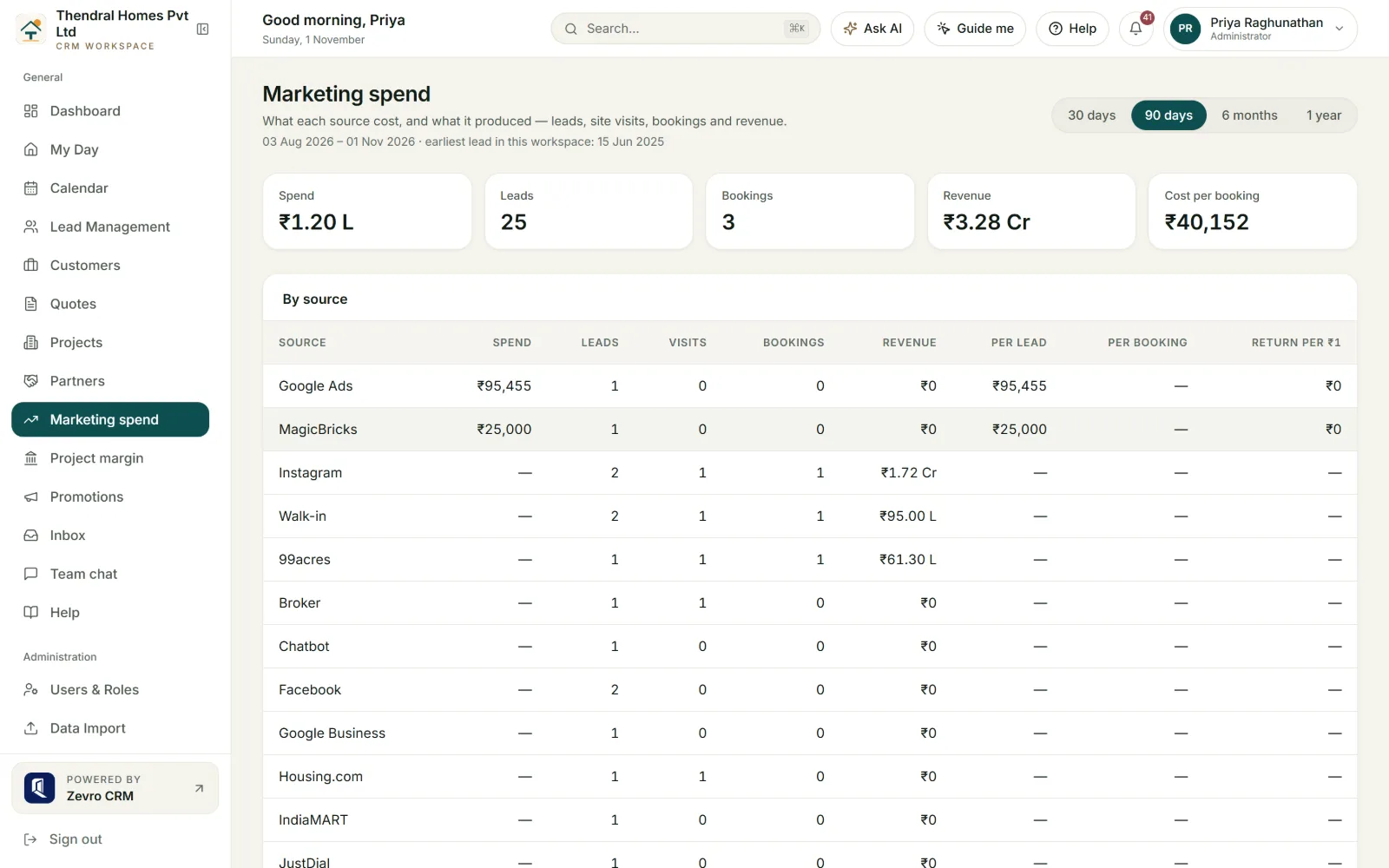
| Marketing | A source field | Campaign spend → cost per lead and per booking |
| Lead capture | Zapier or a CSV, or your own website | 99acres, MagicBricks, Housing.com, IndiaMART and JustDial land on their own; Facebook and Instagram lead forms too, set up with our team |
| Phone | A tel: link | Click-to-call with a call log; Exotel bridging with recording |
| Mobile | A browser tab | Installable app with push alerts; calendar feed for Google or Outlook |
| Collections | Bank transfer | Razorpay payment link per milestone; receipt recorded on payment |
| Integrations | Marketplace add-ons | Signed webhooks for Zapier, Make, n8n or your website |
| Data | Shared multi-tenant tables | Own database per client |
05Product questions
What it does, and what it doesn’t
Straight answers on scope: what is in the product today.
How is ZevroCRM different from a general-purpose CRM?
A generic CRM stops at “deal won”. ZevroCRM continues through what happens next in property sales: unit inventory with holds, the cost sheet and branded quote, the booking, payment milestones with numbered receipts and GST/TDS, construction stages that date the payment demands, a customer portal, channel-partner commissions released as money is collected, and the handover. A generic CRM has to be bent into that shape with custom fields.
How does ZevroCRM handle payments after the booking?
Each booking carries a payment schedule seeded from your workspace template. Every payment gets a numbered receipt with GST and TDS recorded, and the statement of account shows paid, due and balance. Construction stages — with % complete, the date reached and photographs — set the due date of the linked demand as “date reached plus grace days”, so a demand is raised against evidence rather than a spreadsheet date. Money already paid is never re-dated.
Which lead sources can ZevroCRM capture?
ZevroCRM captures leads automatically from 99acres, MagicBricks, Housing.com, IndiaMART, JustDial, Facebook and Instagram lead forms (set up with our team), your website form and chatbot, and any other system through a generic webhook. WhatsApp, YouTube, Google Ads, Google Business, phone, walk-in, referral, broker and email enquiries are entered by the team and tracked the same way. Each enquiry is matched by phone against open enquiries so a buyer is not chased twice, a returning buyer goes back to the executive who handled them before, and every lead is tagged by project and budget. New leads go to your telecallers by your assignment rules, then in turn; at hand-off a sales executive takes over, and after booking a relationship manager. Campaign spend is recorded per source, so the report shows cost per lead and cost per booking rather than a share of enquiries.
Can ZevroCRM answer buyers on our website?
Yes — ZevroCRM includes an AI website chatbot that goes on your site with one line of script and answers buyers about the projects you choose to show — location, configurations, sizes, status, RERA and whether units are available. It never quotes prices or names your staff. When a buyer shares their number, the conversation is saved as a new lead and routed by your assignment rules. It is available on every plan and switched on with our team.
Can ZevroCRM reply to new leads on WhatsApp automatically?
Yes, as early access. ZevroCRM’s AI Lead Desk greets each new portal, ad and website lead on WhatsApp within a minute, answers questions about the project, books the site visit and hands the conversation to your team when a person is needed. It quotes prices only as they stand in your inventory and passes any negotiation or discount to your team. It runs on your workspace’s own WhatsApp number and is set up by arrangement with our team.
Can we ask ZevroCRM questions about our sales numbers?
Yes. ZevroCRM’s AI analyst answers questions such as “which source gave us the most bookings this quarter?” in plain words, from any screen. Each answer is checked against the figures it quotes before it is shown, and buyers’ personal details are masked before any AI call.
Can we import our existing leads?
Yes. ZevroCRM supports CSV import, and we help map your columns to the right fields before your team starts using the workspace, so nothing is lost from the spreadsheet you are moving off.
Can ZevroCRM turn a layout drawing into a plot map?
Yes. With the Master plan module, a manager uploads a project’s layout drawing (PNG, JPG, WebP, or a PDF page saved as an image), and the plot outlines are marked by your team or proposed by AI. A person checks every outline before it is approved, and the approved drawing becomes a clickable 2D availability map where a plot can be held for a named lead. It is available on our top plan and set up per workspace.
Does ZevroCRM work on mobile?
Yes. ZevroCRM installs on Android, iPhone and desktop as an app straight from the browser, with no app store, and sends push alerts when a lead is assigned, a follow-up is overdue or a milestone is due. Visits, follow-ups and payment dates also appear in Google Calendar or Outlook through a personal calendar feed. There is no separate app-store listing today.
Can our customers pay online?
Yes. With the Online payments module, a relationship manager sends a Razorpay payment link for any milestone from the customer’s booking; the customer pays by UPI, card or netbanking and the receipt is recorded against the milestone automatically. Money settles into your own Razorpay account — ZevroCRM never holds it.
Does ZevroCRM connect to Zapier or our own systems?
Yes. With the Webhooks module, ZevroCRM sends signed JSON to Zapier, Make, n8n, a Google Sheet or your own website the moment a lead is created, changes stage, is won or lost, a booking is made, a payment is received, a site visit is scheduled or a ticket is raised — with retries and a delivery log. Portals and ad platforms push leads in the other direction through per-portal URLs.
How your data is kept · Still unsure whether it fits how you sell? Book a demo or write to hello@zevrocrm.com.
Let’s talk about
your property sales.
Tell us a little about your team and projects. We’ll show you exactly how ZevroCRM fits your sales workflow — from first enquiry to handover.
- A 30-minute personalised walkthrough
- See it set up with your own projects
- Or ask for a free 1-week trial workspace — mention it in your message
- Guidance on moving off spreadsheets
- No obligation — we reply within one business day